Media Orchestration: The Infrastructure Behind Modern Streaming
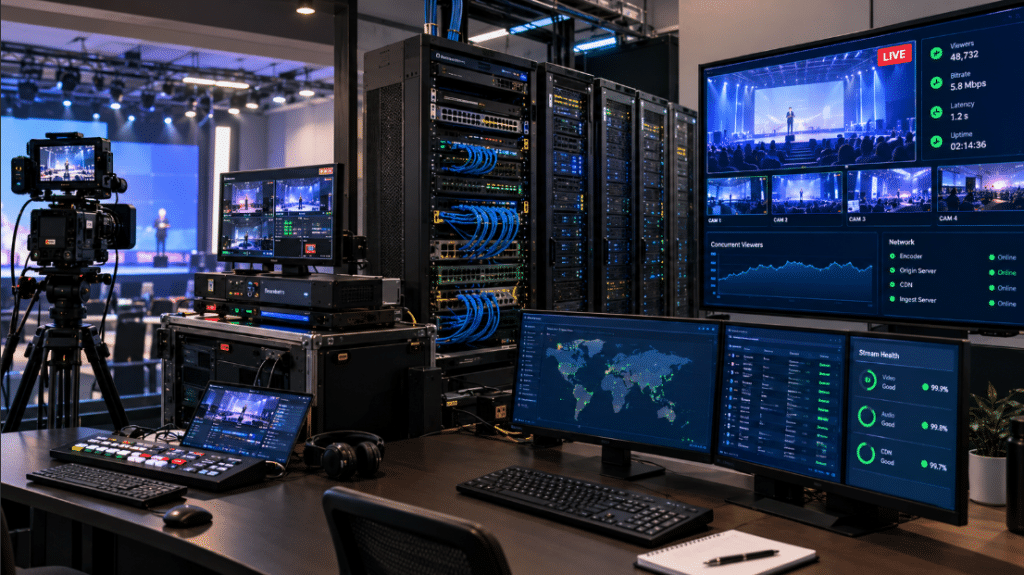
Streaming a video to a viewer takes more than one tool. The video has to be brought in, converted for different devices, put into a channel, sent out and shown on a screen. Each step is handled by a different system.
Media orchestration is how those systems are connected so they work together as one streaming workflow. Without it, someone has to manage every hand-off by hand, and problems are easy to miss.
This guide walks through nine parts of modern streaming infrastructure: live streaming, VOD, playout, OTT apps, channel ingestion, transcoding, content distribution, CDN delivery and monetisation. You’ll see how they connect, what to look for in a media orchestration platform, and how to plan your own setup.
How Does Media Orchestration Work?
A viewer presses play on a live news channel and the picture appears in seconds. Behind that moment, the video has already been received, checked, converted into several versions, scheduled, packaged and sent halfway around the world. Media orchestration is what keeps those steps moving in the right order.
Most streaming workflows follow this path:
Content Sources → Ingestion → Transcoding → Playout/Processing → OTT/VOD → Distribution → CDN → Viewer
Here is what happens at each stage:
- Content sources: the studio camera, a satellite feed or a folder of recorded files.
- Ingestion: the feed is received and checked, so everything downstream gets video in the same, predictable format.
- Transcoding: the video is converted into several sizes and quality levels. A phone on a weak connection and a large TV each get a version that suits them.
- Playout/processing: the content is arranged into a channel, with graphics, schedules and ad breaks, or prepared as on-demand files.
- OTT/VOD: the content is organised inside the service viewers open, whether that is an app or a website.
- Distribution: the finished stream is sent to your own apps and to any partner platforms.
- CDN: a network of servers around the world delivers the video from a location close to each viewer.
- Viewer: the video plays.
Three functions sit alongside this path instead of on it:
- Monetisation adds revenue to the stream through ads, subscriptions or pay-per-view.
- Monitoring watches every stage, so a fault is found where it starts, not after viewers complain.
- Automation takes care of repeated decisions, such as switching to a backup feed when the main one drops.
Each stage is usually a separate system. Media orchestration connects them, so the video moves from one to the next without someone stepping in by hand.
Not every workflow uses every stage. A video-on-demand library has no live feed to ingest. A FAST channel can start from files alone. Some setups skip the distribution step and publish straight to a CDN. Treat the path above as a general map, not a fixed sequence.
The 9 Components of Modern Streaming Infrastructure
Nine components make up a modern streaming infrastructure. Each has one clear job, and each depends on the one before it. Here they are in plain terms.
1. Live Streaming
Live streaming sends video to viewers while it is still happening. The video is captured, sent to a server, converted into several versions and delivered through a CDN.
Two things matter most here. The first is latency, the delay between the real event and what viewers see. A few seconds is fine for a news broadcast. For sports or auctions, viewers expect much less, and that changes how your encoders, packagers and CDN are set up. The second is reliability. A live event can’t be replayed, so serious setups keep backup sources and switch over automatically if something fails.
2. Video on Demand (VOD)
VOD is recorded content that viewers watch whenever they want, like a film library or a set of past episodes.
Because nothing is happening in real time, there is more room to prepare. Files are checked, converted into several versions, stored and then delivered when someone presses play. Storage is a real decision here: where the original files sit, where the converted versions sit, and how the CDN picks them up.
The simplest way to see the difference: VOD can be prepared in advance, and live can’t. Many platforms combine the two by saving live streams as VOD afterwards.
3. Playout
Playout turns separate pieces of content into a continuous channel. It plays clips, live inputs, graphics, and ad breaks in a set order, so the result behaves like a TV channel.
It can run in three ways, and none is better in every case:
- Cloud playout suits quick launches and temporary channels, since you don’t need to buy hardware.
- On-premise playout suits broadcasters with existing equipment or strict control requirements.
- Hybrid playout mixes both, such as a main channel on-site with a cloud copy as backup.
Playout works for traditional linear channels and for FAST channels, which are free, ad-supported channels.
4. OTT Apps
OTT apps are what viewers actually touch. They include websites, mobile apps, connected TV apps and other devices like streaming sticks and set-top boxes.
Each platform behaves differently. A smart TV app is not just a bigger phone app, because remotes, screen sizes and supported formats all differ. The app also handles logins, catalogues and access rules.
It is also where problems become visible. If anything earlier in the chain goes wrong, the app is where viewers notice.
5. Channel Ingestion
Ingestion is how video enters your workflow. Sources include live feeds sent over protocols like SRT or RTMP, satellite signals, and files from partners.
The job goes beyond receiving a signal. It includes tracking each source, having a backup ready, and deciding what viewers see if a feed drops. It also means making every source look the same to the next stage. If feeds arrive with different frame rates or audio layouts, every later step has to cope with the differences. Fixing this at the entry point is much cheaper than fixing it later.
6. Transcoding
Transcoding converts one video into several versions with different sizes and quality levels. Viewers watch on different devices and connections, so one file is never enough.
This makes adaptive bitrate streaming possible. The player switches between versions as the connection changes, so a weakening signal means a softer picture instead of a frozen one. According to a 2024 research paper on hybrid P2P-CDN live streaming, HTTP adaptive streaming built on DASH or Apple HLS has become the dominant approach OTT providers such as Facebook, YouTube and Twitch use for live video.
Transcoding also handles compatibility, since different devices need different formats. It sits between ingestion and delivery. Everything that comes in has to leave in a form each device can play.
7. Content Distribution
Distribution decides where the finished content goes. That could be your own apps, partner platforms, social channels, FAST services or regional operators.
Each destination may want a different format, schedule or set of metadata, and regional rights can add more rules. Distribution handles all of that.
It is easy to confuse with the CDN, but they do different things. Distribution sends content to destinations. The CDN serves video to viewers at scale. A partner platform might receive your channel through distribution, and its viewers may never touch your CDN at all.
8. CDN / Content Delivery
A content delivery network (CDN) is a group of servers spread around the world that keep copies of your video close to viewers. Instead of everyone connecting to one central server, each viewer gets video from a nearby one.
This does three things. Video loads faster because it travels a shorter distance. The system handles more viewers because the load is shared. And viewers in different regions get a consistent experience.
CDNs matter for video in particular because video is heavy and demand often spikes all at once, like when a big live event starts. Many operators use more than one CDN for backup and regional coverage.
In short: distribution decides where content goes, and the CDN gets it to viewers quickly.
9. Streaming Monetisation
Monetisation is how a streaming service earns money. The main models are advertising, subscriptions and pay-per-view, and many services combine them.
For ads, two terms come up often. Server-side ad insertion (SSAI) places ads into the stream on the server, so the viewer’s player sees one continuous video. Dynamic ad insertion means choosing ads at the moment of playback, so different viewers can see different ads in the same break. Markers such as SCTE-35 tell the system where the breaks are.
OTT services often mix subscriptions and ads. FAST channels depend on ads, so ad breaks are planned into the channel from the start.
Why Is Media Orchestration Important for Modern Streaming?
The problems businesses face are mostly not about any one component. They are about the gaps between them. Streaming systems tend to grow in pieces: an encoder from one vendor, a player from another, a CDN from a third, ad tech from a fourth. Each works on its own. The trouble starts when they have to work together.
The Challenges
- Fragmented systems: tools from different vendors don’t share information, so nobody has a full view of the streaming workflow.
- Multiple platforms and vendors: adding a second platform or region often means repeating setup work across several tools.
- Manual workflows: every step that depends on a person copying files or restarting jobs becomes a bottleneck.
- Scaling for large audiences: a live event that grows tenfold can expose capacity limits in one layer, even if the others cope.
- Live-event traffic: viewers arrive all at once, so video streaming infrastructure has to be ready before the peak, not after it.
- Latency requirements: encoders, packagers and CDNs have to be tuned together, since a delay added at one stage carries through to the viewer.
- Multi-platform distribution: each destination may need a different format, schedule or set of metadata.
- Reliability and redundancy: a backup means little if failover in one layer doesn’t trigger a response in the next.
- Monetisation: ad markers set early have to survive every hand-off, or ads can’t be inserted at the end.
- Operational complexity: when something breaks at 2 a.m., nobody can tell which system is at fault.
How Media Orchestration Helps
The challenges above are really one problem: the parts aren’t coordinated. Media orchestration addresses that directly, instead of fixing each item separately.
- A shared view of what is happening: when ingestion detects a dropped feed, transcoding, playout and monitoring all know.
- Automated hand-offs: content moves from one stage to the next without someone copying files or restarting jobs.
- Consistent setup: components are configured in a standard way, so adding a platform or region doesn’t mean rebuilding the chain.
- Central visibility: problems are found by stage, not by symptom, so you know where to look.
The result is end-to-end streaming that your team can run, scale and troubleshoot as one system, not as a collection of separate tools.
What Should You Look for in a Media Orchestration Platform?
Choosing a media orchestration platform is easier when each capability is tied to a problem it solves. Here is what to check, and why each point matters.
- End-to-end workflow integration – Check that components share information instead of only sitting side by side. If ingestion and transcoding are separate products with a manual hand-off, you still have the gaps you were trying to close. Ask to see how a file or feed moves through the whole chain.
- Live and VOD capabilities – Most businesses need both, and recording live streams into VOD is common. Running two separate stacks doubles the operational work. A platform that handles both keeps your media workflow in one place.
- Cloud, on-premise and hybrid deployment – Your existing equipment, regulations and budget may rule out one option. A platform that supports all three lets you match each channel to its needs. You can start in the cloud and add on-site or hybrid setups later.
- OTT and FAST support – If you might launch FAST channels later, confirm the platform can handle scheduling, ad markers and delivery to FAST platforms. Adding these afterwards is usually harder than choosing a platform that already covers them.
- Scalability – Ask how the platform copes with a sudden audience spike, and at which layers. Scaling the CDN while transcoding stays fixed still leads to failures. Capacity has to grow across the whole streaming infrastructure, not in one spot.
- Low-latency capabilities – Prioritise this only if your content needs it, such as live sports or auctions. Low latency affects encoders, packagers and CDNs together, so check that it is supported across the chain and not just in the player.
- Multi-CDN support – Using more than one CDN gives you backup and better regional coverage. It also adds routing decisions, such as which CDN serves which viewer. Look for tooling that manages this automatically.
- Automation – Ask which tasks run on their own, such as transcoding when a file is uploaded, switching to a backup feed, or publishing a schedule. Every manual step is a place where delay or error can creep in.
- Monitoring and failover – Look for monitoring at every stage, not just player metrics, so you can see where a problem starts. Failover should also act on its own, without waiting for a person.
- API and integration capabilities – You will need to connect to systems you already use, such as rights databases, billing and analytics. An open API lets the platform fit into your environment instead of forcing you to change it.
- Monetisation support – Confirm that ad insertion, ad markers and subscription or pay-per-view controls are part of the workflow from the start. If monetisation is added later, markers can be lost between stages and revenue is missed.
Media Orchestration for Different Streaming Models
- Live Streaming
Live content puts the most pressure on the chain: reliable ingestion, tuned latency, redundancy at every stage and CDN capacity for peaks. Orchestration matters because faults have to be caught and handled in seconds.
- OTT Platforms
An OTT service has to reach web, mobile, connected TV and other devices with consistent quality and access rules. Orchestration keeps the content, formats and entitlements behind those apps aligned, so a change made once applies everywhere.
- FAST Channels
FAST relies on the link between library, playout, scheduling, monetisation and distribution described earlier. Because revenue comes from ads, ad placement is designed into the channel from the start, not added later.
- Linear-to-OTT Distribution
Traditional channels can reach OTT audiences by ingesting the existing feed, transcoding it into ABR versions, and delivering it through a CDN to apps. The complications are mostly around timing and rights: ad markers from the broadcast need to be converted for OTT insertion, and content may need regional replacement.
- VOD Platforms
VOD orchestration covers the whole lifecycle: intake, checks, encoding, storage, metadata and delivery. The main gain is repeatability, since every title goes through the same automated path.
How to Build a Modern Streaming Infrastructure
1. Identify Your Content Sources
List every source: live feeds, satellite, files, partner deliveries. Note formats, protocols, reliability and who controls each. Sources you don’t control need the most tolerant ingestion.
2. Define Your Processing and Playout Requirements
Decide which content is live, which is recorded, and which needs to become a scheduled channel. Linear and FAST need playout. VOD needs a processing and storage pipeline. Choose cloud, on-premise or hybrid per requirement, not as a single blanket decision.
3. Plan Your Distribution Architecture
Map destinations: your own apps, partner platforms, regions. Then plan CDN capacity for your peak audience, and whether to use one CDN or several.
4. Choose Your OTT and Viewer Platforms
Pick the endpoints your audience actually uses: web, mobile, connected TV, others. Each adds development and testing effort, so prioritise by audience.
5. Build Monetisation Into the Workflow
Monetisation is hard to add late, because ad markers, ad servers and access rules touch ingestion, processing and delivery. Decide your model early, whether ads, subscription, pay-per-view or a mix, and make sure markers survive every stage.
6. Add Monitoring, Automation and Failover
Instrument every stage, automate the repeatable hand-offs, and test failover before you need it. Run a rehearsal that deliberately drops a feed.
7. Start Focused, Then Extend
Launch with the workflow you need first. A well-connected small chain is easier to grow than a large one assembled from mismatched parts.
Conclusion
A streaming service rarely fails because one tool stops working. It fails in the gaps: a feed that arrives in the wrong format, an ad marker lost between stages, a backup that nobody triggered. Knowing what each of the nine components does tells you what to build. Knowing how they connect tells you where things will go wrong and how to plan for it.
That is the case for media orchestration. When ingestion, transcoding, playout, distribution, CDN delivery and monetisation run as one streaming workflow, your team spends less time chasing hand-offs and more time on the content and the audience. The practical steps are to map your sources, decide what you need for live, VOD, linear and FAST, plan distribution and delivery early, and build monetisation and monitoring in from the start.
If you are planning a new setup or reworking an existing one, Hibrid’s streaming services cover live streaming, VOD, playout (cloud, on-premises, hybrid and FAST), OTT apps, and channel ingestion, transcoding and distribution, all on API-ready infrastructure.
You can get in touch with the team to talk through your workflow and see which parts of it need the most attention.
Frequently Asked Questions
1. What is media orchestration in simple terms?
It is the coordination of the tools that bring in, prepare, deliver and monetise video, so they work together as one streaming workflow. Without it, people have to manage each hand-off manually.
2. What is the difference between OTT and IPTV?
OTT delivers video over the open internet to any connected device. IPTV delivers TV over a private network run by an operator, usually to a set-top box.
3. What is the difference between HLS and MPEG-DASH?
Both split video into short segments so quality can adjust to the viewer’s connection. HLS comes from Apple and is needed for Apple devices, while MPEG-DASH is an open standard.
4. What are SRT and RTMP?
They are protocols for sending a live feed to a server. RTMP is older and widely supported, while SRT is built to recover from problems on unreliable networks.
5. What is DRM?
Digital rights management (DRM) encrypts video so only authorised viewers can play it. It is often required for premium films, sports and paid subscriptions.
6. What is a MAM system?
A media asset management (MAM) system stores your video files along with details like titles and durations. Playout and scheduling use that information to build channels.
7. Can a small team run end-to-end streaming?
Yes. Many teams use managed services for ingestion, transcoding and delivery, and focus on their content. A media orchestration platform with an open API helps connect it all.